AI TOOL / #05085
QuantTalk
QuantTalk: Use natural language to create and optimize quantitative investment strategies.
Introduction
QuantTalk: Create and backtest quantitative investment strategies using natural language.
What is the QuantTalk AI Chrome extension/plug-in?
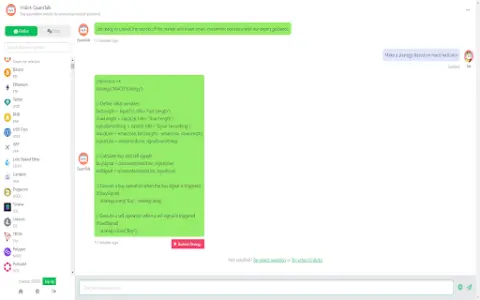
QuantTalk is a powerful investment tool that enables investors to easily create quantitative strategies using natural language. It automatically performs backtesting on TradingView and provides the results for review. In addition, it allows users to generate professional indicator charts through natural language input, giving everyone the opportunity to become an expert in quantitative analysis.
How to use the QuantTalk AI Chrome extension/plug-in?
Describe the investment strategy you wish to implement using natural language. QuantTalk will automatically perform backtesting on TradingView and provide the results. You can also use natural language to create custom indicator charts.
The core functions of the QuantTalk AI Chrome extension/plug-in
Creation of Natural Language Strategies
Automated backtesting on TradingView
Creation of professional indicator charts
Related
Copy for Chat GPT
An extension used to copy ChatGPT responses and check for plagiarism.
Authenticity Leads
SaaS platforms enhance the quality of lead data by preventing spam, fraud, and inaccurate entries.
paperred.com
Free plagiarism checking tool with artificial intelligence detection and rewriting capabilities.
BrandGuard
Brand protection ensures that the content aligns with your brand identity, provides immediate feedback, and helps maintain consistency throughout all communications.
ToroBoost
ToroBoost helps remove spam from your eToro news feed.
SafeType by Cyera Labs
Browser extension designed to detect sensitive data in inputs submitted via ChatGPT.