AI TOOL / #07234
Screenshot AI
Screenshot AI utilizes artificial intelligence to extract information from images, thereby simplifying the processes of searching and organizing content.
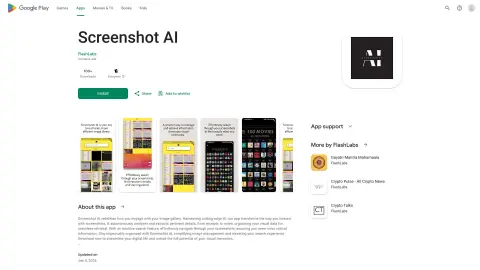
Introduction
Screenshot AI uses AI to extract info from images, simplifying search & organization.
What is Screenshot AI?
ScreenshotAI is an application designed to redefine the way users interact with their image libraries. By leveraging cutting-edge artificial intelligence, this tool can automatically analyze and extract relevant information from screenshots—including receipts and notes—helping to organize visual data for easy retrieval. It simplifies image management and enhances the search experience, allowing users to navigate through their screenshots effortlessly and never miss any important details. The app is aimed at unlocking the full potential of visual memory by providing a smarter and more efficient way to manage images.
How to use Screenshot AI?
The screenshot AI will automatically analyze and extract valuable information from your screenshots. Simply install the application and grant it the necessary permissions, and it will begin organizing your screenshots for you. Utilize the intuitive search function to locate specific details within your images.
The core functions ofScreenshot AI
Automatically analyze and extract information from screenshots.
An intuitive search function that makes navigation easy.
Organize visual data to facilitate seamless retrieval.
Extracting text from images
Related
Pixzens - screenshot beautification tool
A professional online tool for beautifying screenshots, offering a wide range of backgrounds, window borders, drawing tools, and special effects.
ChatPPT AI Presentation Workspace
An AI-driven presentation workspace designed for global teams – it allows users to create complete sets of slides using prompts, documents, or detailed outlines. It supports one-click generation of content, and also enables the use of an “Agent” mode to assist in structuring the narrative and formatting the presentation according to a specific brand style.
Codewars: Programming Challenges
Codewars enables developers to hone their skills by solving problems—just like practicing katas in a dojo, in order to reach their full potential.
Tufte CSS formatting style
Tufte CSS transforms the typographic principles outlined in Edward Tufte’s books into tools that can be used to style web articles – creating designs that are concise, make extensive use of footnotes, closely integrate text and images, and pay particular attention to the selection of fonts.
Busuu Online Language Learning
Step out of the textbooks: practice pronunciation, learn about local cultures, and share your knowledge of your native language with learners from all over the world.
Computational Geometry Pages
A comprehensive catalog of computational geometry resources, bringing together various relevant materials both online and offline.