AI TOOL / #07230
hahaOCR
Extract text from the image; press the ESC key to exit.
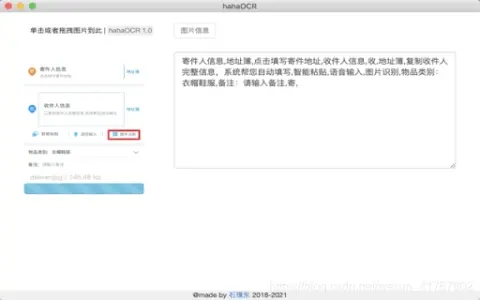
Introduction
Extract text from images and exit with ESC.
What are the Image to Text and ESC Exit App AI Chrome extensions/plugs?
This application allows users to extract text from images and convert it into editable text. Users can upload images by clicking a button and exit the application by pressing the “ESC” key.
How to use the Image to Text & ESC Exit App AI Chrome extension/plug-in?
Click the upload button to select an image. The application will automatically extract the text from the image and display it. Press the “ESC” key to exit the application.
The core functionality of the Image to Text and ESC Exit App AI Chrome extension/plugin.
Image to Text conversion
Use the ESC key to exit the function.
Related
Online AI Baby Generator
Predict the future appearance of your baby by uploading photos.
SoulGen
AI tools use text to generate images and videos of anime characters as well as real girls.
Flux AI Lab
An AI-driven platform for generating images and videos.
AI OTAKU LABO
A Japanese website that provides reviews and usage guides for the latest generative AI tools.
Anime AI Art
An AI-powered application that generates artistic works based on text prompts, available for iOS devices.
CannyArt
An AI painting tool that provides real-time, free image generation services for fans of anime and digital art creators.