AI TOOL / #07146
ImageToText
An extension that copies text from images on the internet via the OCR.Space API.
Introduction
An extension to copy text from images on the internet using OCR.Space API.
What is the OCR.Space API AI Chrome extension/plugin?
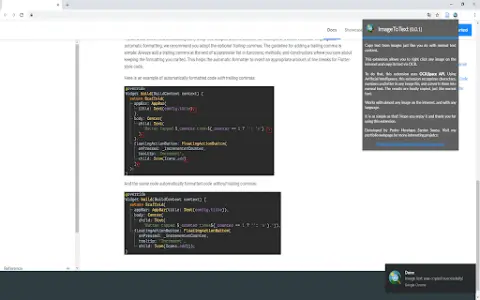
This extension lets you copy text from any image on the internet just like regular text content. Simple—that's the goal of this app. Just right-click the image, select “Copy Image Text,” and you're done… You can use and paste the text you see in that image. It's very useful for extracting text from informative, entertaining, and code-block images. Now you don't have to rewrite everything—with this extension, the problem is solved. To process images, this extension uses the OCR.Space API.
How do I use the OCR.Space API AI Chrome extension/plugin?
Right-click an image, select "Copy Image Text," and then paste the extracted text.
Core features of the OCR.Space API AI Chrome extension/plugin
Copy text from images on the internet.
Related
WaterCrawl
AI-friendly web crawler and content extraction platform for structured data.
Wavo
Wavo connects e-commerce companies with decision-makers, enabling effective external outreach and the expansion of sales channels.
Instant Data Scraper
Automated data extraction tool using AI for website data scraping.
DeGen.ai
DeGen.AI: An AI-powered tool for generating, enhancing, protecting, and analyzing data.
lang.ai
Lang.ai automates data engineering processes and utilizes AI agents to extract actionable insights from Snowflake data.
CapGo.AI
AI-driven platform for automated network data collection and enrichment.