AI TOOL / #07072
Zoho Expense
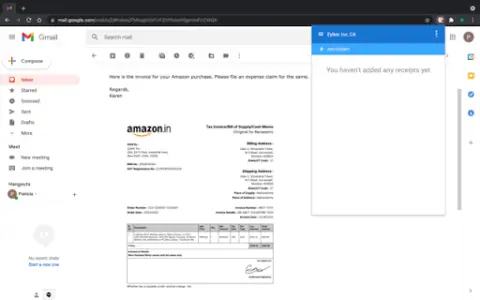
Zoho Expense automates the process of expense management by allowing users to scan receipts and submit expense claims accordingly.
Introduction
Zoho Expense automates expense management by scanning receipts and creating expense claims.
What is the Zoho Expense AI Chrome extension/plug-in?
Zoho Expense is the preferred travel and expense management solution for thousands of businesses in over 150 countries. It helps companies streamline their travel arrangements and bookings, automates and customizes every aspect of business trips and expenses, and provides comprehensive control over all related costs. Users can instantly take screenshots of online receipts and directly upload them to Zoho Expense via email, without the need to switch between different interfaces. Zoho Expense automatically scans these screenshots, extracts the necessary information, and uses it to create official expense reports and claims. These reports can then be submitted for approval and reimbursement. Zoho Expense is capable of scanning receipts in more than 14 languages and extracting data line by line.
How to use the Zoho Expense AI Chrome extension/plug-in?
Take a screenshot of the online receipt and upload it to Zoho Expense. The system will automatically scan the receipt, extract the relevant data, and generate an expense request for approval and reimbursement.
The core functions of the Zoho Expense AI Chrome extension/plug-in
Automatic receipt scanning and data extraction
Creation and submission of fee requests
Multilingual support (more than 14 languages)
Row-by-row data extraction
Travel and Booking Management
Customizable fee policies
Related
New Crevio
Let AI help you manage your small business.
New Kivo
Create a PPT based on the inspiration diagram.
New Willow Voice
AI voice dictation input method
New AI Video Trends
Apply popular video templates to the photos.
New Kreat3D
一键从照片和草图生成3D模型
New Openbroca
AI voice input software for Mac computers