AI Card Bao WX.AICARDBAO.COM
Home / ai-office and productivity / The new sideOS.ai
AI TOOL / #00675

The new sideOS.ai

The AI computer assistant that lives inside the notch of the MacBook
Introduction

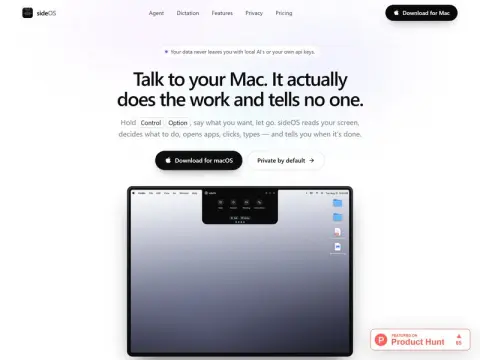
SideOS is an AI assistant that resides within the notch on a MacBook’s screen. Hold down Control and Option, tell it what you want to do, and release the keys. It will then read the content on the screen, determine how to proceed on its own, and subsequently open the relevant application, perform the necessary actions (such as clicking or typing), and finally inform you that the task has been completed. For example, if you see an email offering a collaboration opportunity, you can simply say, “Reply to him that we can talk this Thursday afternoon,” and SideOS will take care of writing the reply for you.

In addition to allowing users to operate their computers, it also incorporates features such as local voice dictation, meeting recording, reminders, and background tasks. Regarding privacy, it emphasizes the principle of “default privacy”; users can either use local models or enter their own API keys, ensuring that their data does not pass through their servers.

This macOS application is available for a one-time purchase and includes local dictation functionality. It is ideal for Mac users who wish to use voice commands to have their computers handle everyday tasks on their behalf. Currently, it is still common for AI-powered systems like these to make mistakes; therefore, it is best to let them confirm all operations related to sending messages or making payments before proceeding.

Visits:164 Updated:2026-11-26 Popular tools

Related

App Store Web Version Recently, Apple officially launched a web version of the App Store, allowing users to access it via their computer browsers or Android smartphones. Prior to this, we could only use the App Store on iPhones, iPads, or Macs. MindVideo – Unlimited View Generation MindVideo AI is an online AI video generation tool. It enables the conversion of text into videos as well as images into videos. It comes equipped with the latest Google Nano Banana large model, which allows for unlimited image creation and AI-based video editing functions. Additionally, it supports the creation of various video effects through a single click, using over 40 different AI algorithms. Imageye Imageye is a browser-based extension for image scraping and batch downloading. It automatically scans all the images present on a current web page and offers features such as filtering, previewing, format conversion, and one-click batch downloading. With just one click, it can identify all visible and hidden images on the page and provide you with convenient access to them. Zoom Earth Recently, the weather in Zhengzhou has been absolutely unbearably hot. On the 16th, the maximum temperature reached 44 degrees Celsius! I’d like to share with you a map platform that allows you to observe the weather around the world. It’s called Zoom Earth. Zoom Earth is an interactive tool developed by Neave Interactive. Image Toolbox The Image Toolbox is an open-source, free, and versatile image-processing tool for Android devices. If you frequently need to edit images, this app is definitely one of the essential tools in your mobile device arsenal. It offers features such as pixel-level drawing, filters, batch processing, format conversion, and even AI-powered functions. Universal small in-AI thesis expert Universal Xiaoin is an AI creation assistant with 130 + AI applications. With just a title, you can quickly generate a literature review, issue report, PPT, work summary, and so on. Demonstrating that the tool calls itself a thesis artifact, I opened the membership to try it out and found that this tool is really something!, I asked him to help