AI TOOL / #06677
Voice Control for Netflix
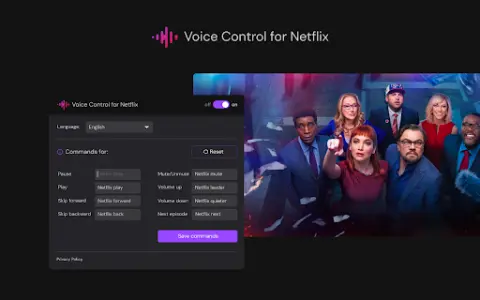
Use voice control to operate Netflix: play, pause, fast-forward, and more.
Introduction
Control Netflix with your voice: play, pause, fast-forward, and more.
What is the Voice Control for Netflix AI Chrome extension/plugin?
Netflix’s voice control allows users to manage their Netflix experience via voice commands. This includes tasks such as playing, pausing, and advancing videos, all without the need to use a remote control or touch the screen.
How to use the Voice Control feature for the Netflix AI Chrome extension/plug-in?
Simply enable Netflix’s voice control, and then use voice commands to control playback, navigate the menu, and search for content.
The core functionality of the Netflix AI Chrome extension/plugin for voice control
Use voice control to operate Netflix playback functions (play, pause, fast forward, rewind).
Hands-free navigation, Netflix menu
Voice search for films and TV shows
Related
Narada AI Assistant: Chat With Your Tools
Generative artificial intelligence assistants automate tasks related to routine business operations, as well as data searches.
Vanta AI Scheduler
AI-driven schedule assistant converts natural language into ordered events.
Smart Calendar Event Plus
A browser extension that allows you to create Google Calendar events from selected text.
Mayday
An AI-assisted calendar designed to help you organize, schedule your time, and protect it.
GptPanda
A free AI assistant for Slack that offers unlimited requests and brainstorming with ChatGPT 4o.
SvahaMe.ai | AI-Powered Vedic Tools
An AI-powered Indian astrology platform that offers interpretations, auspicious names, and daily horoscopes.