AI TOOL / #06413
Audiotext AI
Audiotext AI converts audio to text, removes filler words, and offers multiple transcription styles.
Introduction
Audiotext AI converts audio to text, removing filler words and offering various transcription styles.
What is the Audiotext AI AI Chrome extension/plugin?
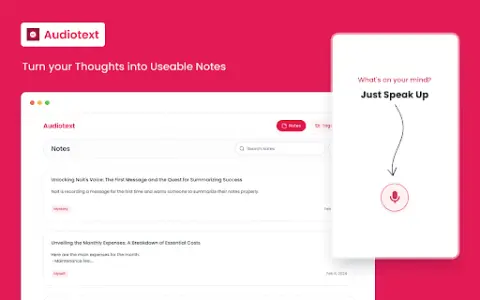
Audiotext AI can convert audio into accurate text by removing unnecessary words and generating concise summaries. It allows users to transcribe speech into text, offering multiple styles such as short summaries, bullet points, passive voice, and active voice.
How do I use the Audiotext AI Chrome extension/plugin?
1. Speak naturally, including filler words. 2. Choose a transcription style (short summary, long summary, bullet points, etc.). 3. Click "Transcribe."
Core features of the Audiotext AI Chrome extension/plugin
Audio to text
Remove unnecessary words.
Concise Summary
Rewriting with AI for style adjustment
Shareable note link
Related
Jump AI
An AI-based meeting assistant for financial advisors, which automates tasks, takes notes, and maintains compliance records.
T&C Reader
A Chrome extension that uses Google Gemini AI to summarize terms and conditions as well as privacy policies.
TermsAi
A Chrome extension that uses artificial intelligence to summarize service terms.
Airdocs
Airdocs AI analyzes work proposals, providing insights and negotiation recommendations.
Bryckel
An AI-driven platform designed for summarizing, extracting data, and conducting document analysis in the real estate leasing sector.
Zuva Analyze
Zuva Analyze utilizes AI to extract contract terms, identify data points, and classify documents, thereby facilitating faster legal decision-making processes.