AI TOOL / #05876
Do Browser
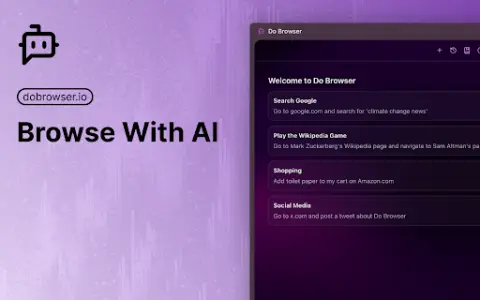
An AI-powered Chrome extension that enables control of the browser via natural language commands.
Introduction
AI-powered Chrome extension for browser control using natural language.
What is a Do Browser AI Chrome extension/plug-in?
Do Browser is an AI-powered extension for Chrome that allows users to control their browser using natural language commands. It provides quick access through the address bar or keyboard shortcuts and also supports voice commands. Its purpose is to simplify tasks such as filling out forms, shopping, and navigating complex web interfaces.
How to use the Do Browser AI Chrome extension/plug-in?
Enter “do” in the address bar or use the shortcut keys Cmd+K/Ctrl+K to activate the Do Browser. Then, use natural language commands to instruct the extension to perform tasks within the browser.
What are the core functions of browser AI Chrome extensions/plugs?
Natural Language Browser Control
Access via the address bar and keyboard shortcuts
Voice command support available
Related
Data On Demand
An artificial intelligence platform that enables data extraction, analysis, and visualization through dialogue.
aiflowchart
Tools based on artificial intelligence can generate flowcharts, graphs, and charts from various sources.
Flowsage Extension – Turn ideas into shareable flowcharts
An AI-powered Chrome extension that converts text into flowcharts in real time, facilitating collaborative work.
Unifyr.ai
Unifyr is a data aggregation platform designed for commercial tracking and automated reporting.
Text Assistant
A Chrome extension that utilizes the OpenAI API for writing, proofreading, and analyzing text.
AskEdith Free Tier
AI-powered analysis tools enable quick retrieval of data insights through natural language queries.