AI TOOL / #04214
Spot AI
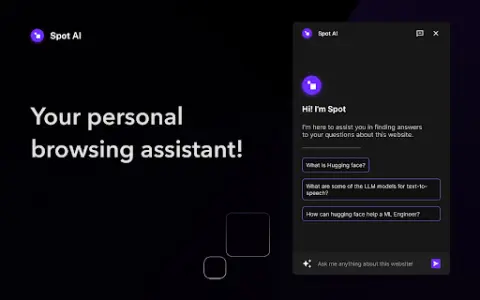
Spot AI reads web pages to answer your questions.
Introduction
Spot AI reads webpages to answer your questions.
What is the Spot AI Chrome extension/plug-in?
Spot AI is a browsing assistant that can read web content and answer questions based on that information. It enables users to easily conduct research and obtain information. It is available as an extension for Chrome and is also compatible with Brave and Arc browsers. Once installed, it can be activated by using the CMD/CTRL + K shortcut key.
How to use the Spot AI Chrome extension/plug-in?
Install the Spot AI extension in Chrome, Brave, or Arc. After installation, activate it by using CMD/CTRL + K. For the best experience, fix the extension in your browser. Then, pose your question, and Spot AI will read the relevant text on the web page to provide you with an answer.
The core functions of the Spot AI Chrome extension/plug-in
Read a web page and answer questions based on its content.
Compatible with Chrome, Brave, and Arc browsers.
Launch it by pressing CMD/CTRL + K.
Related
Luma AI
Luma AI: Captures a vibrant 3D world, with details that are as realistic as those in photographs.
AI Roast Generator
Free AI tools for generating humorous jokes and witty responses.
Dreamly
Dreamly: Become a creator and earn money by posting a variety of content, with the assistance of AI.
Flave AI
Create and chat with a personalized AI girlfriend.
ChatCat
Automatically suggest pinned messages for dating/chat apps to simplify communication.
Tinder Ice Breakers
An AI-based dating app that generates ice-breaking phrases.