AI TOOL / #04081
GPT Notification/Quiz – STRI
An AI-driven extension designed to provide fast and accurate answers to questions.
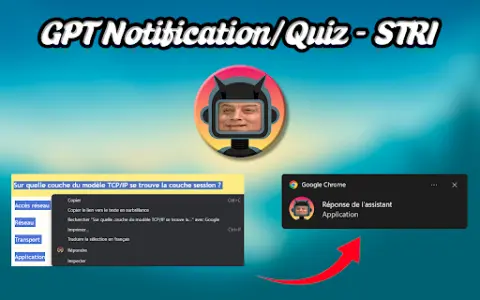
Introduction
An AI-powered extension for quick and accurate question answering.
What is an AI Assistant Extension, namely the Chrome extension/plug-in for AI Assistant?
This extension was initially created by students to help answer various surveys quickly. Through interactive pop-ups, it uses your API key and the selected AI model to provide accurate and timely responses, functioning as a real-time intelligent assistant tool.
How to use the AI Assistant Extension for Chrome? How to install and use this add-on/plug-in?
To install the extension, right-click on its icon and select “Options” to enter your API key and choose the AI model you wish to use for configuration. When using it, select the text of the question, right-click on it, and then choose “Answer”. Make sure that notifications are enabled so that you can receive real-time alerts. You can also customize settings in the Options section, such as the visual theme.
The core functionality of the AI Assistant extension for Chrome.
Interactive pop-up window
Model customization
Visual theme
API key integration
Related
Introducing Coworker AI
An AI platform that provides predictive insights and machine learning-based SQL analysis.
Tomat
A code-free data analysis platform that utilizes AI to process CSV and Excel files.
hazy.com
The Hazy & SAS Data Generator provides enterprises with a platform for generating synthetic data, enabling faster and more secure insights to be obtained.
Enterpret
An AI-powered platform that consolidates customer feedback to generate actionable insights and improve product and customer experience strategies.
DocsLoop
An AI-powered document extraction tool designed to automate workflows and data processing.
Falcon
An AI-driven advanced research tool that assists sales teams in quickly locating essential account information.