AI TOOL / #03976
PowerPost
PowerPost summarizes, translates and allows interaction with articles for quick insights.
Introduction
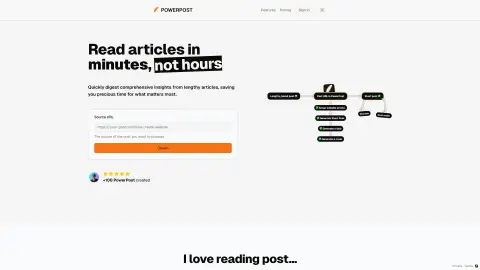
PowerPost summarizes, translates, and allows chatting with articles for quick insights.
What is PowerPost?
PowerPost helps you turn lengthy articles into quick insights. It allows you to bookmark, summarize, translate and interact with posts in your preferred language and style. Designed to help you create content and learn faster by extracting the most important information from articles.
How to use PowerPost?
To use PowerPost, you simply provide the source URL of the article you want to process. PowerPost will allow you to bookmark, summarize, translate and interact with articles. You can also choose different article styles and reading preferences.
PowerPost Core Features
Summary of a lengthy article
Translate posts into different languages
Chat feature to interact with posts
Customizable reading style (color, font, size)
Save post to read later
Content creation assistance
Related
tday.com
Programming intelligent agents to automatically record product demonstration videos
Websim
A platform for creating and sharing interactive games and web pages.
Pvalyou
Pvalyou offers Val, an AI analyst designed to facilitate research across multiple databases and thereby enhance productivity.
Seekr: AI-powered New Tab with Bard & ChatGPT
AI-powered Chrome extension to simplify online research and increase productivity.
Research With GPT
A collection of research links related to the GPT chatbot.
Frictionless
An artificial intelligence-driven platform for market research and brand analysis, designed to help in developing more intelligent growth strategies.