AI TOOL / #02529
Text to Google Calendar
Chrome extension: Allows users to create Google Calendar events directly from highlighted text.
Introduction
Chrome extension to create Google Calendar events from highlighted text.
What is the Text to Google Calendar AI Chrome extension/plug-in?
Text to Google Calendar is a Chrome extension designed to simplify the process of creating events on Google Calendar. It allows users to highlight text from emails or web pages and convert that text into calendar events with just one click, eliminating the need to manually copy and paste event details.
How to use the Text to Google Calendar AI Chrome extension?
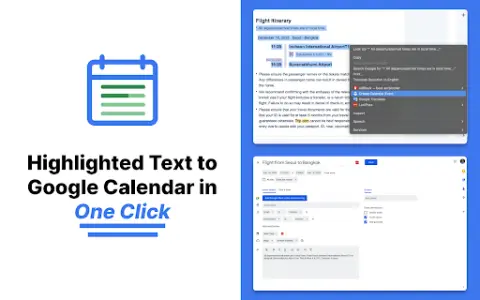
Install the Text to Calendar Chrome extension. Highlight the relevant text containing event details (date, time, description, location) on a web page or in an email. Click the extension icon, and it will automatically use the extracted information to create a Google Calendar event.
The core functionality of the Text to Google Calendar AI Chrome extension.
Click to create an event based on the highlighted text.
Automatically fill in the time zone, location, and event details.
Easily create multiple and duplicate calendar events.
Related
WaterCrawl
AI-friendly web crawler and content extraction platform for structured data.
Wavo
Wavo connects e-commerce companies with decision-makers, enabling effective external outreach and the expansion of sales channels.
Instant Data Scraper
Automated data extraction tool using AI for website data scraping.
DeGen.ai
DeGen.AI: An AI-powered tool for generating, enhancing, protecting, and analyzing data.
lang.ai
Lang.ai automates data engineering processes and utilizes AI agents to extract actionable insights from Snowflake data.
CapGo.AI
AI-driven platform for automated network data collection and enrichment.