AI TOOL / #11004
TransDub
AI-powered YouTube video translation and dubbing.
Introduction
AI-powered translation and dubbing for YouTube videos.
What is TransDub?
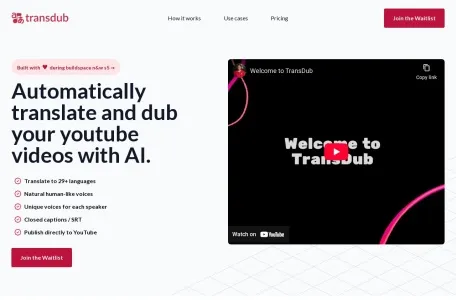
TransDub automatically translates and dubs your YouTube videos into multiple languages, allowing you to reach a wider audience. It uses AI to translate and dub videos, offering features like natural human voices, unique voices for each speaker, closed captioning/SRT, and direct publishing to YouTube. TransDub supports over 29 languages and allows users to import videos via direct upload, YouTube link, or connecting their YouTube account.
How to use TransDub?
1. Import videos via direct upload, YouTube link, or connecting your YouTube account. 2. Review the automatically transcribed and translated video and make any necessary corrections. 3. Export videos with dubbing and subtitles/SRT, or publish directly to YouTube.
TransDub core features
Automatically translate and dub YouTube videos
Supports 29+ languages
natural human voice
Each speaker’s unique voice
Generate closed subtitles/SRT
Post directly to YouTube
Automatically identify speakers
Related
Blinkist AI
Blinkist AI delivers key insights from web articles, PDFs, podcasts, and YouTube videos.
Abstract Summary
AI-powered tools designed for quickly generating web page summaries and sharing them within communities.
NotionAI Plus
Browser extensions that enable adding NotionAI functionality to any website, allowing for text analysis and summary generation.
AI StudyPro
A Chrome extension that improves learning with AI-powered summaries and insights.
Recap: Smart Split and Summarize with ChatGPT
An open-source browser extension that uses ChatGPT to summarize web page text.
Flomo Quick Save 2.1
Browser extension for quickly saving web content to Flomo, with AI capabilities.