AI TOOL / #10059
Audio Trimmer
A Chrome extension designed for online audio editing, supporting various file formats and AI-powered editing features.
Introduction
Chrome extension for online audio trimming, supporting multiple formats and AI-powered editing.
What is the Audio Trimmer Extension for Chrome? What is this extension/plug-in?
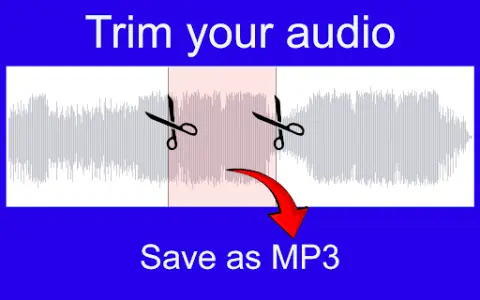
The Audio Trimming Extension is a tool designed for the Chrome browser, aimed at providing convenient audio editing capabilities. Users can directly trim audio tracks online without the need to download them first. This extension supports various formats such as MP3 and WAV, offering precise editing options. It combines accurate waveform display with AI-powered tools to enable intelligent audio track editing and high-quality conversions. It is especially useful for creating ringtones, shortening podcasts, extracting specific sections from songs, and refining the audio quality of YouTube videos.
How to use the Audio Trimmer Extension for Chrome?
1. Install this extension from the Chrome Web Store.
2. Open the extension and upload your file.
3. Use the waveform to select the portion you wish to trim.
4. Click the trim button and download the edited file.
The core functionality of the Audio Trimmer Extension for Chrome.
User-friendly interface
Wide support for various formats (including MP3, WAV, etc.)
Online convenience (no need to download)
Precise waveform editing
AI-powered tools
Related
docsmall
docsmall is a completely free online image and PDF processing tool that supports image format conversion, image compression, GIF compression, PDF editing, and more. It also supports AI-powered image processing features, such as lossless image enlargement, automatic image cropping, and smart erasing. Below, I’ll share a few features I frequently use
Digital Litchi
Digital Litchi is a genuine software marketplace where you can purchase almost any commonly used software. The platform frequently offers discounts on genuine software, with the prices often being 40% to 60% lower than those available through official channels – which is definitely very cost-effective. For example…
Xianyi AI Image Segmentation
Xianyi AI Image Segmentation Tool is a free, offline AI-based image segmentation tool. It is developed using the large-scale AI models Tauri 2 and RMBG-1.4, allowing for extremely fast segmentation – with speeds reaching the millisecond level. The image below is just a random beauty photo I found online; simply import it into the software, and it will automatically perform the segmentation for you. In fact, the background of this image…
Office Tool Plus
Office Tool Plus is a free and powerful tool for managing Office software installations. It eliminates the difficulties associated with downloading and installing Office applications and allows users to customize the installation process. Additionally, it comes equipped with various useful utilities related to Office.
Parallel translation of PDF documents using Lingban technology
Lingban AI is a browser extension developed using large-scale AI models. It enables your browser to function as an all-round AI assistant, offering features such as AI translation, conversations with AI, AI-assisted writing, AI-based reading and summarization of web pages and papers, information retrieval, note-taking, and drawing tools. With so many efficient capabilities at its disposal, browsing the internet becomes significantly more convenient and productive.
MacApp
The MacApp Sharing Channel is a website dedicated to providing downloads of cracked software for Apple Mac computers. This site requires no login and contains no advertisements; all resources are stored in cloud storage. The design of the website is very user-friendly—whether you need to download a particular software or search for a specific category, you can simply perform the relevant action. For example, if you’re looking for the commonly used Apple suite of programs…